AiPPT
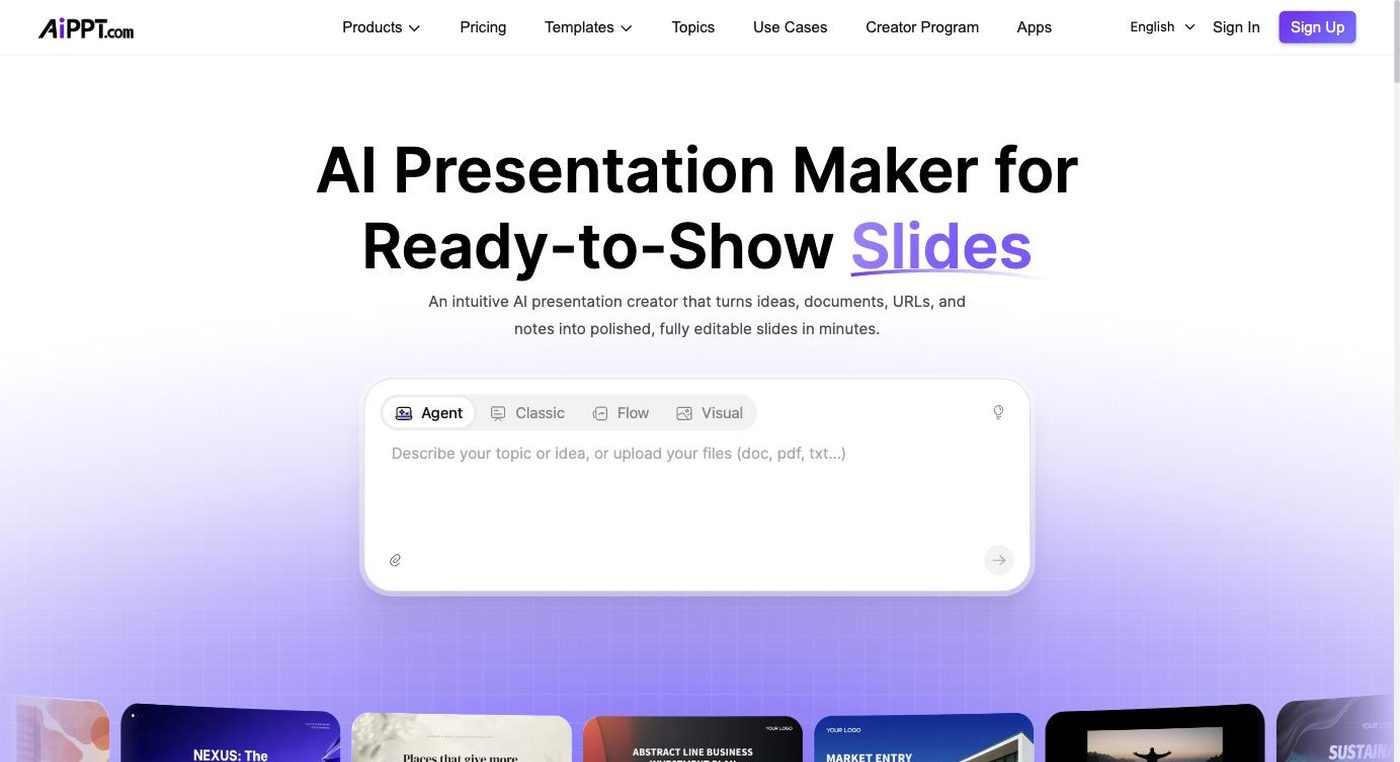
AI tool that generates full PowerPoint decks instantly from a topic or outline
- Category
- Presentations
- Pricing
- Free plan with limited exports/credits; paid monthly and annual subscription tiers unlock unlimited downloads and premium templates
- Best for
- AiPPT works well for students preparing class presentations, marketers who need a fast first draft of a pitch or report deck, and small business owners without in-house design support.
- Official site
- www.aippt.com
- Last updated
- August 2026
AiPPT positions itself as a one-stop AI presentation generator: type a topic, get an outline, then get a fully designed deck. The workflow is intentionally simple and fast, aimed at users who don't want to spend time picking layouts or arranging content manually. It also supports importing existing material, such as pasted text or uploaded documents, and restructuring that content into slide format.
The tool leans on a sizeable template library spanning business reports, educational content, marketing decks, and more general-purpose designs, letting users switch the visual theme after generation without redoing the content. This makes it popular for quick, everyday presentation needs such as class assignments, sales pitches, or internal updates, rather than highly customized brand-critical decks.
Like most AI deck generators, output quality depends heavily on how detailed the initial prompt or outline is; short prompts produce generic content that typically needs editing for accuracy and specificity. The free tier is functional for trying the tool but limits exports and premium templates, pushing regular users toward a paid subscription.
AiPPT works well for students preparing class presentations, marketers who need a fast first draft of a pitch or report deck, and small business owners without in-house design support. It's less suited to enterprise teams needing strict brand governance or highly bespoke visual storytelling. Users comfortable doing a manual editing pass after generation will get the most value. Those needing airtight factual accuracy should treat AI-written content as a draft requiring verification.
Key features
Prompt-to-deck generation
A single topic or keyword prompt is expanded by AI into a multi-slide outline and then a fully designed deck.
Document-to-slide conversion
Existing Word docs, PDFs, or pasted long-form text can be converted directly into structured slides.
Template library
A wide selection of pre-built themes across business, education, and creative categories is available to apply to generated content.
Outline editing step
Users can review and adjust the AI-generated outline before the full visual deck is produced.
Theme switching
The overall visual style of a completed deck can be swapped without having to regenerate the content.
Multi-format export
Finished decks can be downloaded as PowerPoint (.pptx) files or PDFs for sharing.
Pricing breakdown
Free
- Basic AI deck generation
- Limited template access
- Watermarked or capped downloads
Pro (Monthly)
- Unlimited or higher-cap deck generation
- Full template library access
- Unwatermarked exports
Pro (Annual)
- Same as monthly Pro at a lower effective rate
- Priority generation speed
- Extended export options
Pros and cons
Pros
- Generation speed from a bare prompt to a complete deck is among the fastest in the category
- Document/PDF import is handy for quickly repurposing existing written content into slides
- Template variety covers enough use cases (business, education, marketing) for most casual users
- Theme re-styling without content loss saves time when the first design doesn't fit
- Low learning curve makes it accessible to users with no design background
Cons
- Content generated from short prompts is often generic and needs manual editing for accuracy and tone
- Premium templates and unlimited exports are locked behind a paid plan, limiting the free tier's usefulness
- Design customization is shallower than dedicated design tools once you move past template swapping
- Occasional inconsistencies in slide density and layout when converting long documents
- Less suited to teams needing strict brand-compliance controls across many users
Alternatives to AiPPT
GenPPT
Turns PDFs, recordings, and YouTube links into editable slide decks
Compare →AutoPPT
AI presentation generator that turns prompts, documents, or PDFs into ready PowerPoint decks
Compare →Beemer
AI pitch deck generator that builds investor-ready slides from a business description in minutes
Compare →Frequently asked questions
Can AiPPT generate a deck from just a topic name?
Yes, a single topic or keyword prompt is enough to generate a full outline and deck, though more detail produces better results.
Can I upload an existing document instead of typing a prompt?
Yes, Word documents, PDFs, and pasted text can be converted into slide format.
What file formats can I export to?
Decks can be exported as PowerPoint (.pptx) files or PDFs.
Is there a free version?
Yes, a free plan exists but with limited exports and restricted access to premium templates.
Do I need design skills to use it?
No, the tool is built for users without design experience, using templates to handle layout and styling automatically.
Does it fact-check the content it generates?
No, generated content should be reviewed and fact-checked manually before presenting.
Ready to try AiPPT?
Head to the official site to explore pricing and start a free trial where available.
Visit AiPPT →