Appified
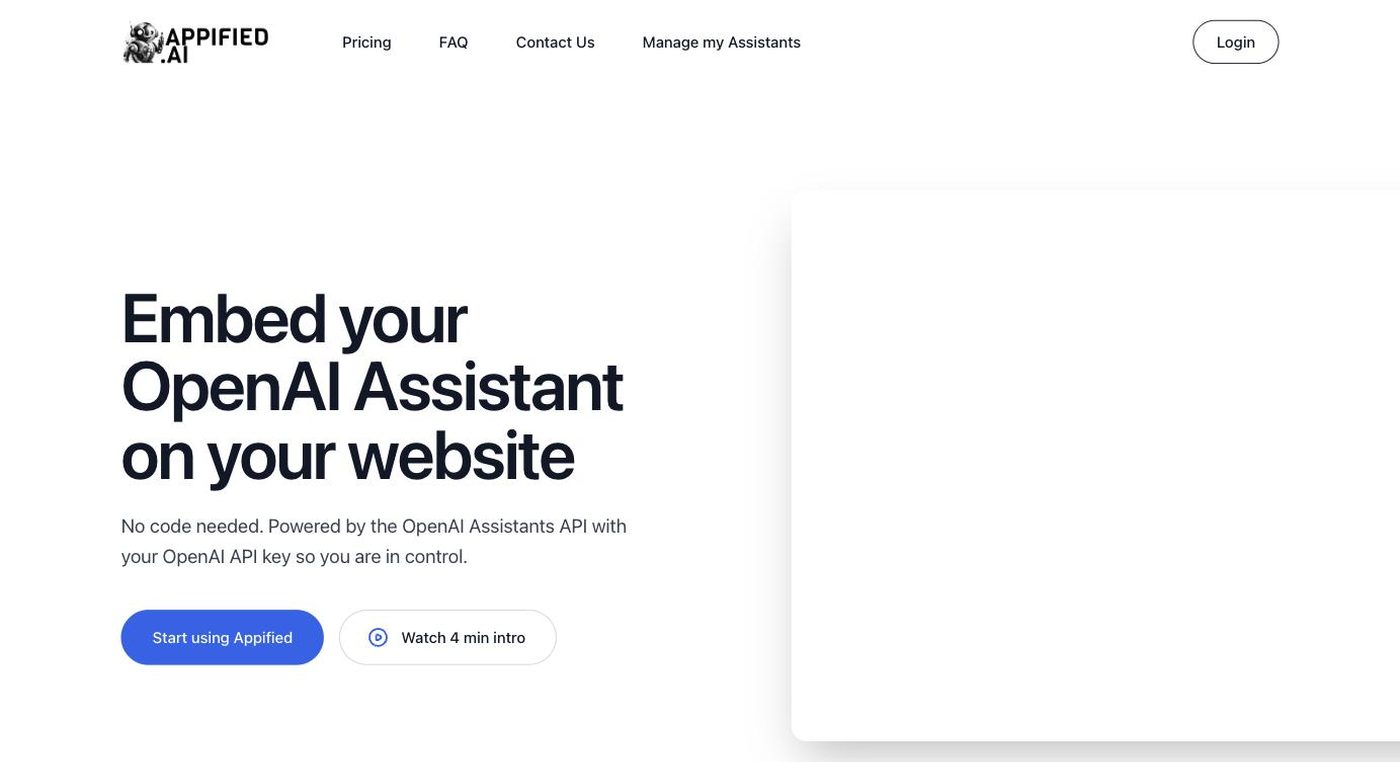
Turn any OpenAI Assistant into a shareable, embeddable web app without writing code.
- Category
- No-code/Low-code
- Pricing
- Freemium — a free tier lets you connect an OpenAI Assistant and launch a basic hosted app; paid plans unlock custom branding, custom domains, and higher usage limits (see appified.ai for current tier pricing).
- Best for
- Appified is built for solo creators, indie developers, and small business owners who have already built an OpenAI Assistant and want to expose it to real users without learning front-end development.
- Official site
- www.appified.ai
- Last updated
- August 2026
Appified.ai occupies a narrow but useful niche in the no-code AI tooling landscape: rather than trying to be a general app builder, it solves one specific problem — turning an OpenAI Assistant (built in OpenAI's own Assistants configuration) into something end users can actually open in a browser and use. Many builders configure powerful assistants inside OpenAI's platform but have no easy way to expose them beyond the API playground; Appified bridges that gap with a hosted, no-code front-end.
The product is aimed squarely at non-developers and solo creators. Once an Assistant ID and API key are connected, Appified generates a usable chat web app that can be shared as a public link, embedded as a widget on an existing site, or customized with basic branding. This makes it popular with indie hackers who want to package a niche GPT-based assistant (a coding helper, a research tool, a customer-support bot) as a lightweight product without hiring a front-end developer.
Because it depends entirely on the OpenAI Assistants API, Appified's scope is bounded by what that API supports — it is not a general-purpose no-code app builder capable of arbitrary logic, databases, or multi-step workflows. Teams needing more complex applications typically graduate to broader no-code platforms once their assistant's use case outgrows a single chat interface.
Appified is built for solo creators, indie developers, and small business owners who have already built an OpenAI Assistant and want to expose it to real users without learning front-end development. It suits people validating a GPT-based product idea quickly, agencies packaging assistants for clients, or hobbyists who want to share a personal AI tool publicly. It is not the right tool for teams needing a full application with custom logic, multiple screens, or a database beyond what the Assistants API itself provides.
Key features
One-click Assistant-to-app conversion
Paste in an OpenAI Assistant ID and API key and Appified spins up a hosted, usable chat web app around it.
No-code branding controls
Adjust colors, welcome messages, and basic styling to match your brand without touching HTML or CSS.
Shareable public link
Every generated app gets a URL that can be shared directly with users, clients, or an audience.
Embeddable widget
Drop the assistant into an existing website as an embedded chat widget rather than a standalone page.
Productization options
Package the resulting app as something you can charge for or gate behind a paywall, turning a personal Assistant into a small product.
Minimal setup overhead
No hosting, server, or front-end code to manage — Appified handles the deployment layer.
Pricing breakdown
Free
- Connect one OpenAI Assistant
- Basic hosted chat app
- Shareable link
Pro
- Custom branding
- Custom domain support
- Higher usage limits
Pros and cons
Pros
- Removes the single biggest friction point for OpenAI Assistant builders — having no user-facing interface — with almost no setup time.
- Good fit for creators who want to monetize a niche GPT assistant as a small SaaS-like product without writing a line of front-end code.
- Embeddable widget option means it can enhance an existing website rather than forcing users onto a new domain.
- Very low learning curve compared to full no-code app builders, since the scope is intentionally narrow.
Cons
- Entirely dependent on the OpenAI Assistants API, so pricing, rate limits, and capability changes upstream at OpenAI directly affect what Appified can offer.
- Not suited for building apps with custom data models, multi-step workflows, or non-chat interfaces.
- Users still need to pay OpenAI directly for API/Assistant usage on top of any Appified subscription.
- As a small, focused tool, it has less brand recognition and community support than larger no-code platforms.
Alternatives to Appified
Frequently asked questions
Do I need to know how to code to use Appified?
No — Appified is designed as a no-code layer on top of an existing OpenAI Assistant; you connect your Assistant ID and API key and the web app is generated automatically.
Do I still need an OpenAI account?
Yes, Appified requires an existing OpenAI Assistant and API key, and OpenAI usage costs are billed separately by OpenAI.
Can I use my own domain?
Custom domain support is available on paid plans; the free tier uses an Appified-hosted link.
Can I embed the assistant into my own website?
Yes, Appified provides an embeddable widget in addition to the standalone shareable link.
Can I sell access to the app I create?
Yes, Appified is positioned to let creators package and sell their Assistant-based app as a product.
Is Appified suited for complex, multi-step applications?
Not really — it's optimized for turning a single Assistant into a chat-style app rather than building full multi-screen, database-driven applications.
Ready to try Appified?
Head to the official site to explore pricing and start a free trial where available.
Visit Appified →